


Great UX is never accidental; it is built on predictable patterns of human psychology. These patterns are codified as UX Laws, serving as fundamental principles that help designers create interfaces that are intuitive, efficient, and memorable. Mastering these laws is the difference between a good designer and a great one.
This article, sourced from the attached resource, breaks down three critical UX Laws every designer must know to stop designing based on assumption and start designing based on science.
The Foundation: What Are UX Laws?
UX laws are principles derived from psychology and user research that describe how people interact with interfaces. They are shortcuts to better design because they leverage how the human brain naturally processes information. When you apply a UX Law, you are aligning your product with decades of behavioral science.
3 Essential Laws to Master Today
1. Miller's Law: The Magic Number 7
The Law: The average person can only remember about seven items (plus or minus two) in their working memory at a time.
- The Design Fix: You must keep interfaces simple by reducing choices and breaking information into smaller chunks.
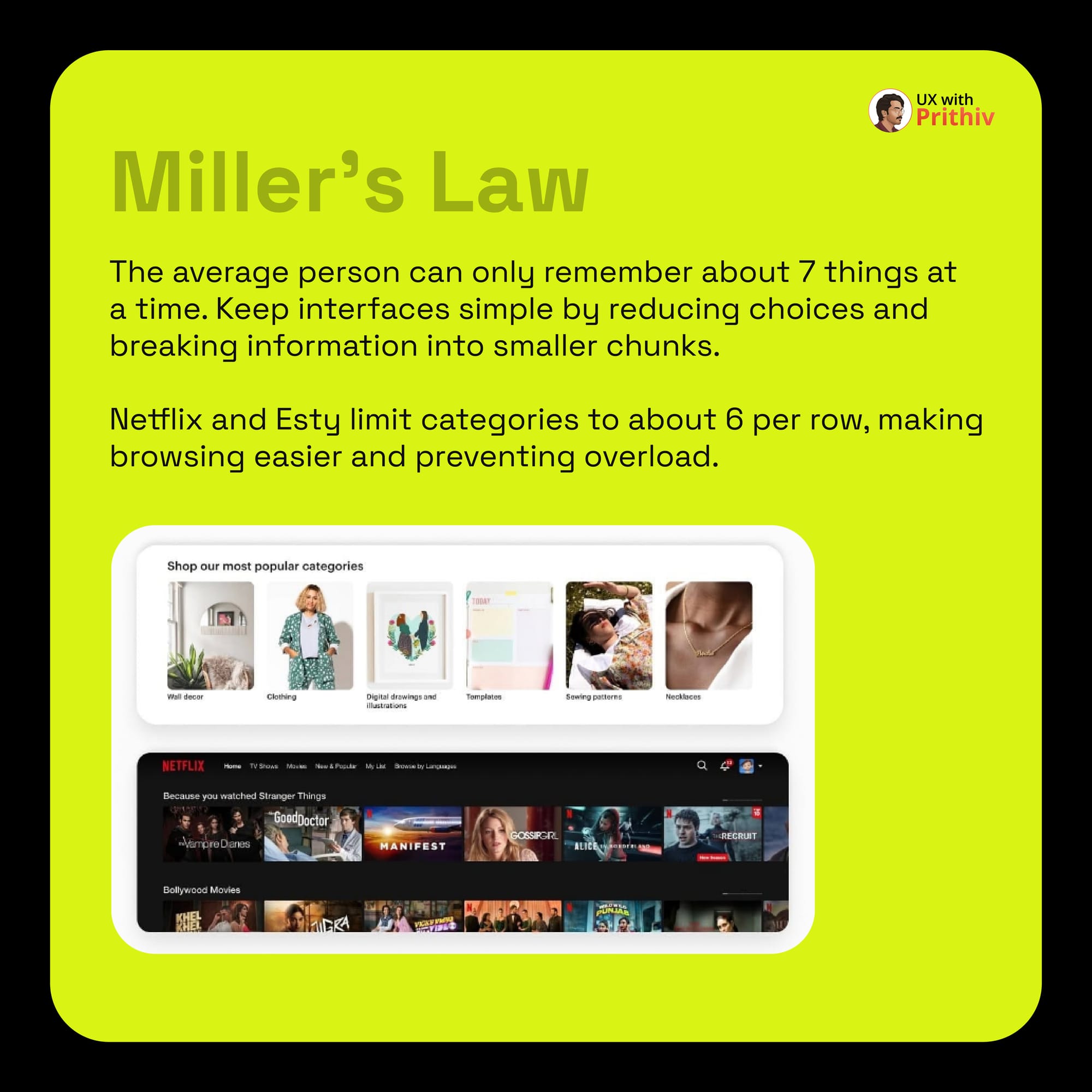
- In Practice: Streaming services like Netflix and e-commerce sites like Etsy limit categories to about six per row to prevent information overload, making browsing easier.
2. Peak-end Rule: Leave a Lasting Impression
The Law: People remember experiences not by the sum of all moments, but by the best moment (peak) and the ending. Negative peaks and endings are disproportionately memorable.
- The Design Fix: To leave a positive memory, you must consciously design a highlight moment (the "peak") and ensure the completion of the task (the "end") is a smooth, positive finish.
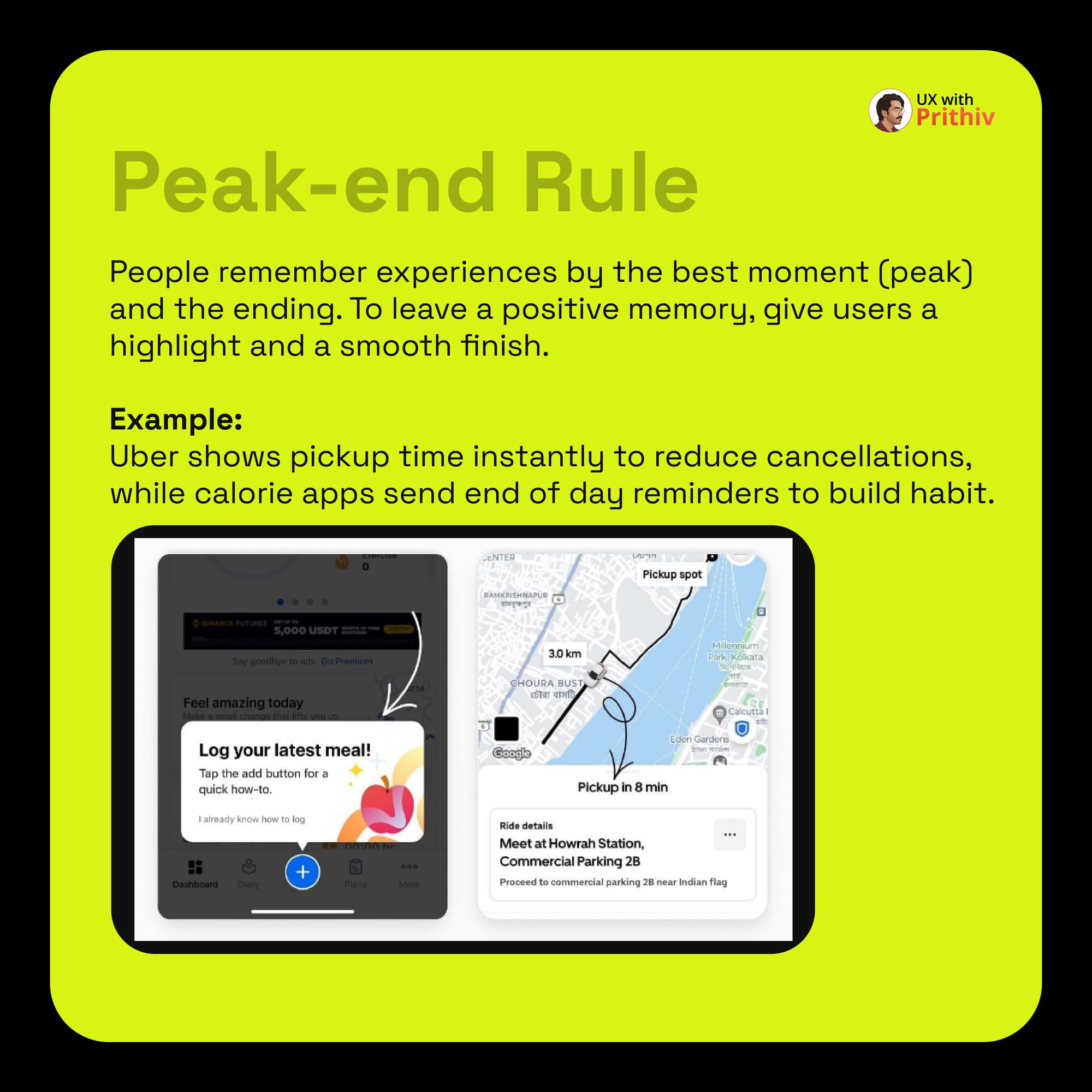
- In Practice: Ride-sharing apps like Uber show the exact pickup time instantly to reduce user anxiety (a high-value peak moment), while calorie tracking apps send end-of-day reminders to build positive habit loops (a smooth, memorable end).
3. Law of Similarity: Grouping for Clarity
The Law: People naturally group similar-looking elements together. This cognitive shortcut, part of Gestalt psychology, is key to visual hierarchy.
- The Design Fix: Use similar visual properties (color, shape, or style) to help users instantly understand that certain elements are related in function or context.
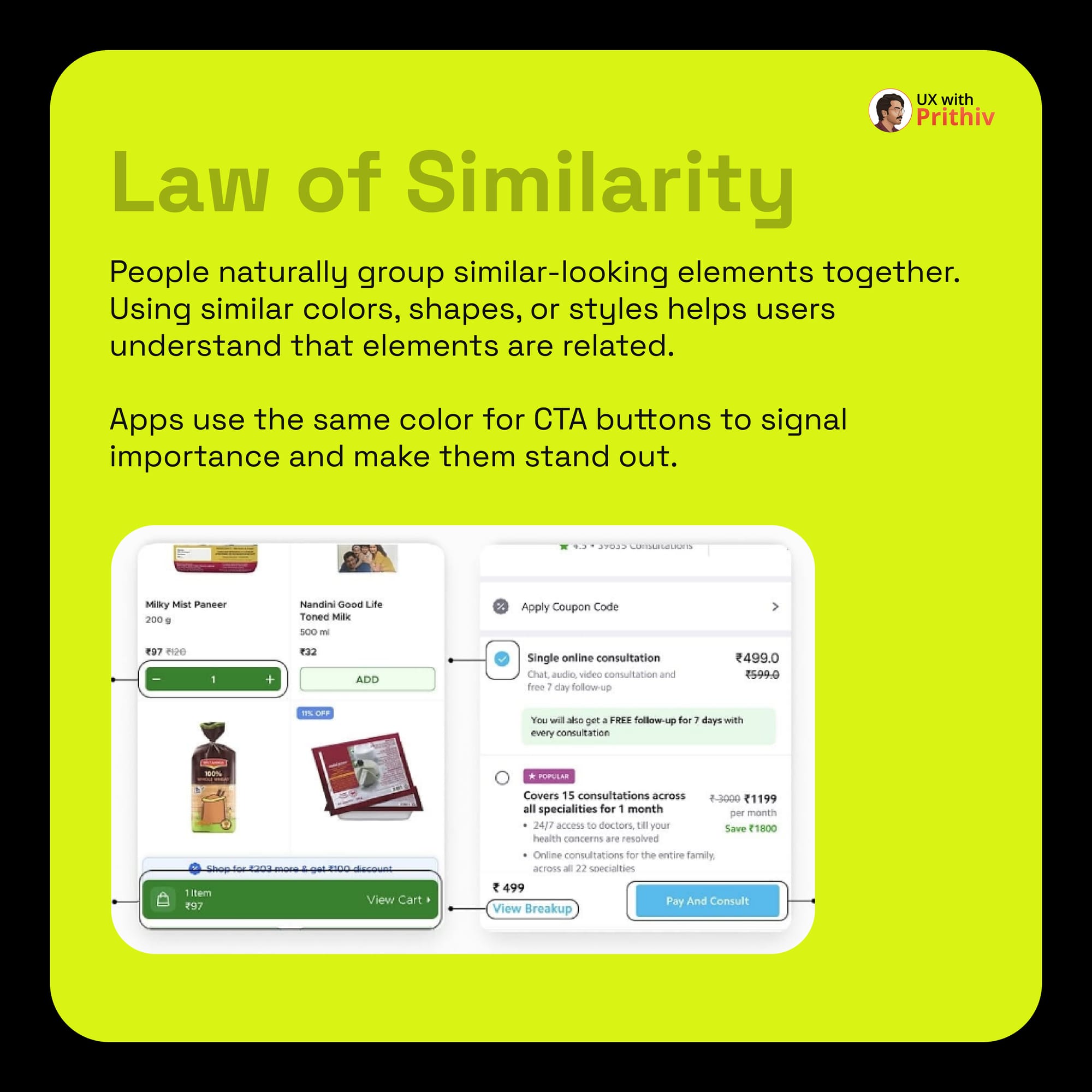
- In Practice: In an e-commerce app, all Call-to-Action (CTA) buttons use the same brand color. This signals their importance and instantly groups them as "clickable actions" in the user's mind.
Mastering these laws allows you to design with authority, creating interfaces that feel naturally right to the user because they are engineered to align with human cognition.


Comments