


The login or sign-up process is the most critical conversion point in any mobile application. If users hit friction here, they leave and rarely return.
By designing a flow that anticipates errors and builds user confidence, you can significantly boost your activation rates. Here are three steps, centered around phone verification, to engineer a seamless flow:
Step 1: Simplify Number Input & Context
Minimise the effort required to enter the phone number and provide instant context.
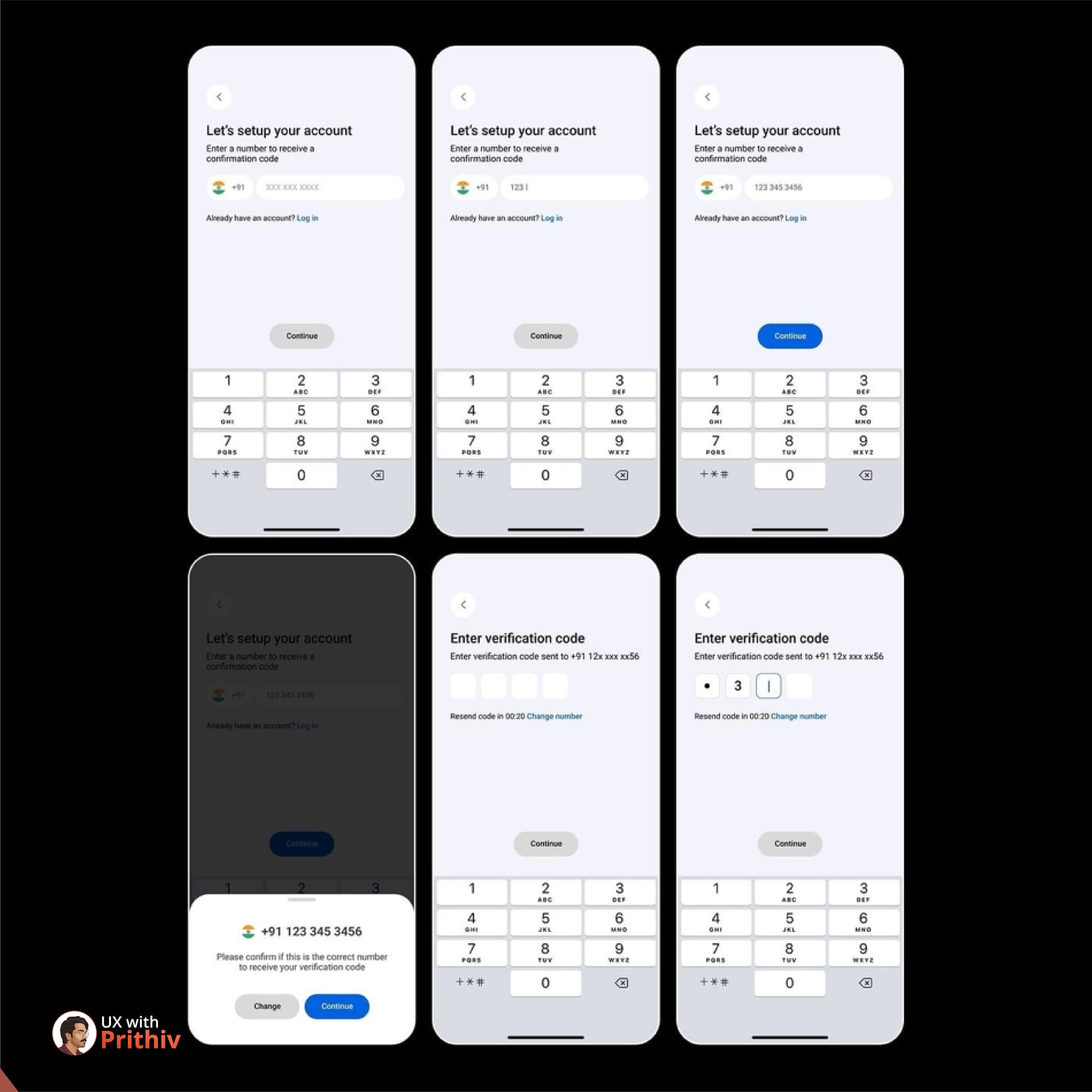
- Design for Input: Use the appropriate numerical keyboard (not the full QWERTY keyboard) to reduce typing errors.
- Automatic Formatting: Implement masking or automatic formatting that cleanly breaks up the number (
(123) 456-7890) as the user types, improving readability and reducing visual load. - Contextual Links: Always include an easily visible "Already have an account? Log in" link. This respects the user's intent and provides a graceful exit if they accidentally started the wrong flow.
Step 2: Build Trust with an Explicit Confirmation Step
A confirmation step acts as a safety net, dramatically cutting down on SMS delivery errors and user frustration.
- The Review Screen: After the user inputs their number, introduce a screen that asks, "Please confirm if this is the correct number to receive your verification code".
- The "Change" Option: Provide a highly visible "Change" or "Edit" link next to the number. This is a low-effort way for the user to self-correct any mistypes before you send a costly SMS code.
- Trust Through Obfuscation: In the subsequent step, confirm where the code was sent by masking most of the number (e.g.,
+91 12x xxx xx56). This balances security with reassurance.
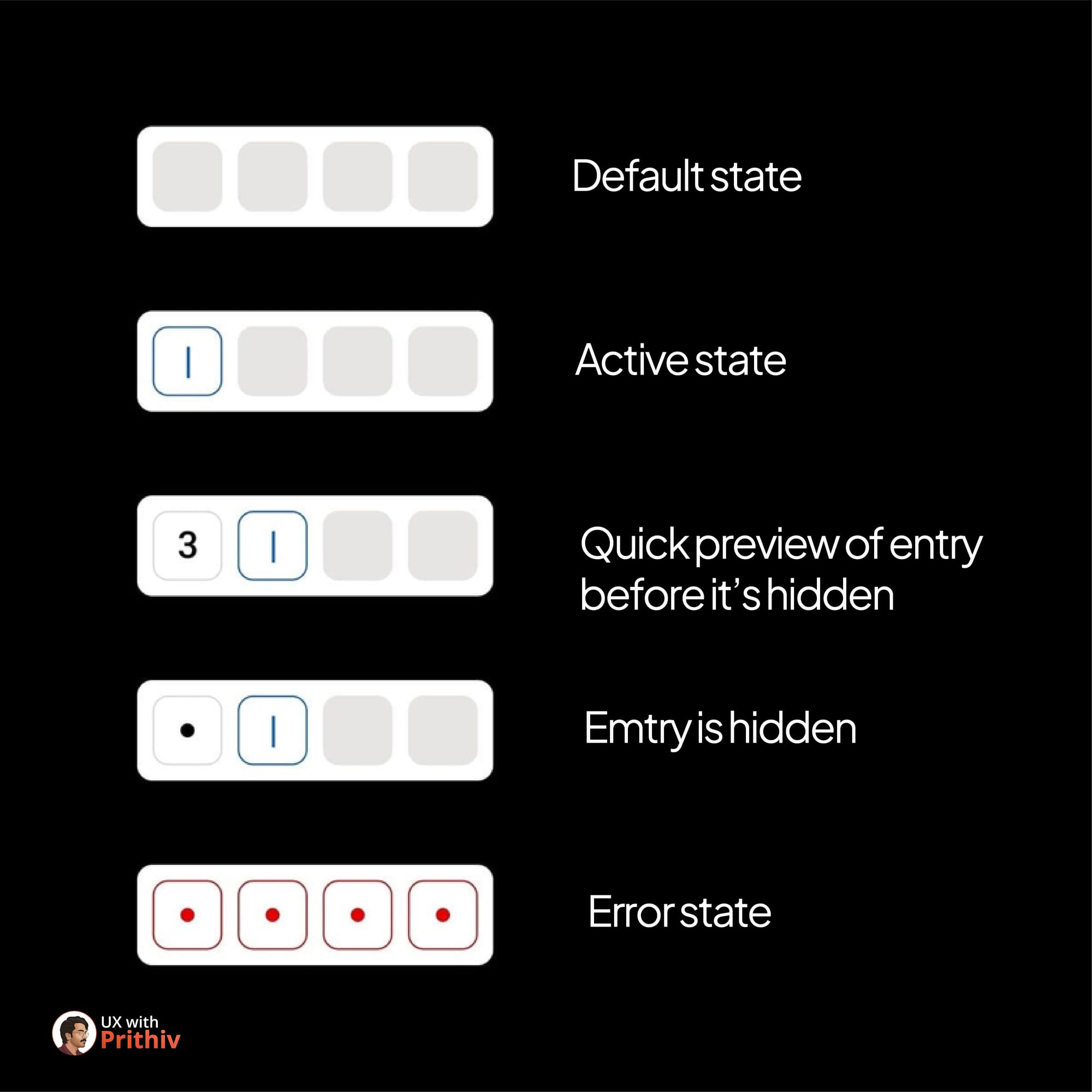
Step 3: Master the Code Verification Experience
The code verification screen is where anxiety peaks. Design it for speed, clarity, and error recovery.
- Auto-Detection: Use technology to automatically detect and fill the code from the SMS message. This is the gold standard for reducing friction.
- Visible Timer & Resend: Always show a clear timer counting down before the "Resend code" button becomes active (e.g.,
Resend code in 00:2...). This provides control, manages expectations, and assures the user that the process is working. - Clear Error States: Provide specific, helpful error messaging if the code is wrong, and ensure the input fields are visually reset or clearly marked for retry.
By focusing on these three steps, you transform a transactional process into a user-centric experience that increases activation and reduces drop-off.


Comments