


If your UI elements feel flat, the problem is likely your shadows. Great designers know that you should never use default shadows. Default shadows are flat, unrealistic, and give away an amateur design.
Designing stunning, natural shadows is about mimicking real-world physics. By mastering three simple rules, you can transform your interface from flat to convincingly three-dimensional.
Rule 1: Soften Your Shadows
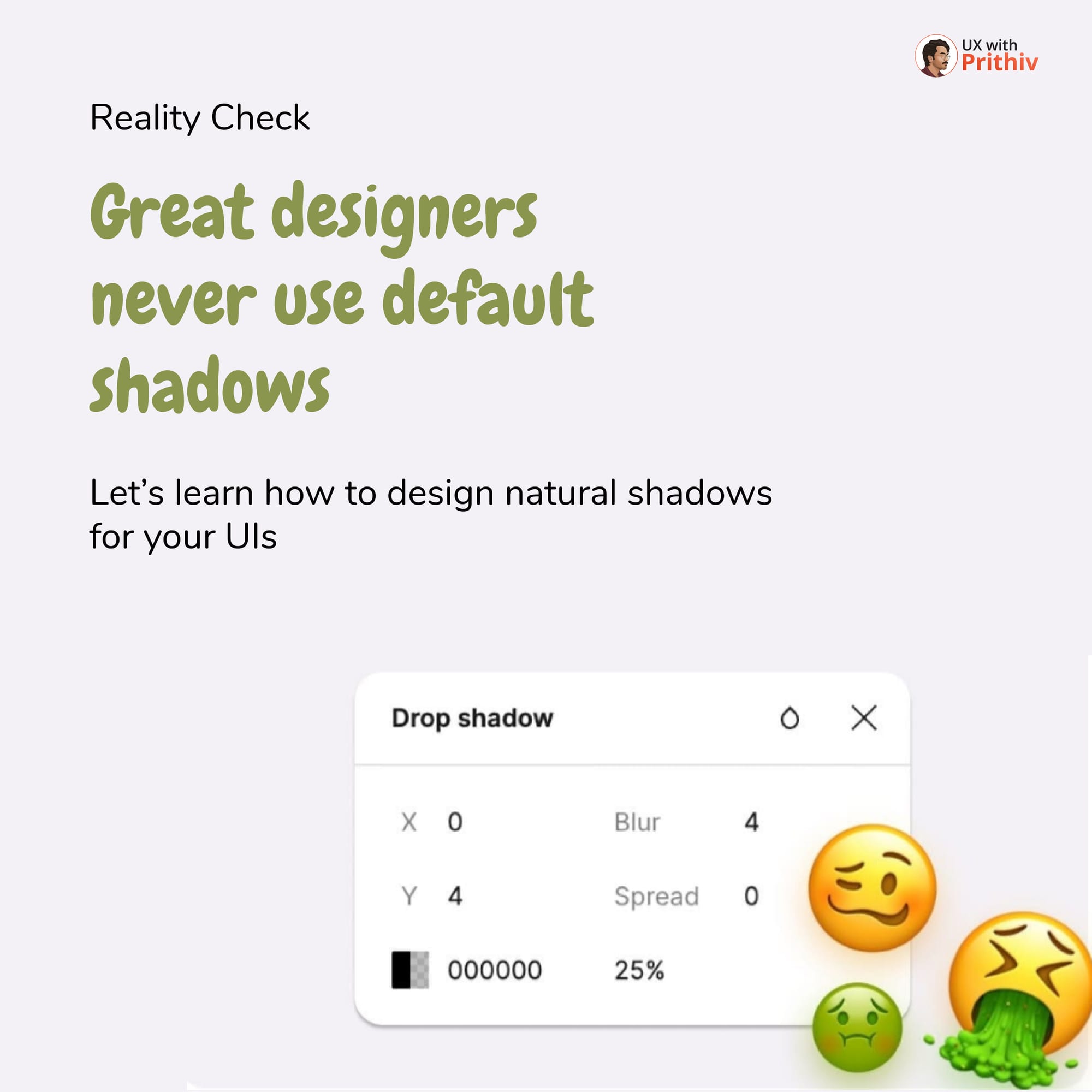
The default shadow settings are often too dark and too sharp. In the real world, light scatters, making shadows softer and less opaque as they get farther from the object.
- Reduce Opacity: Decrease the opacity significantly (e.g., from 25% down to 12%).
- Increase Blur: Increase the blur value to diffuse the edges (e.g., from 4 to 8).
Softer shadows instantly look more professional and natural, creating a gentle sense of elevation.
Rule 2: Inject Hue (Avoid Pure Black)
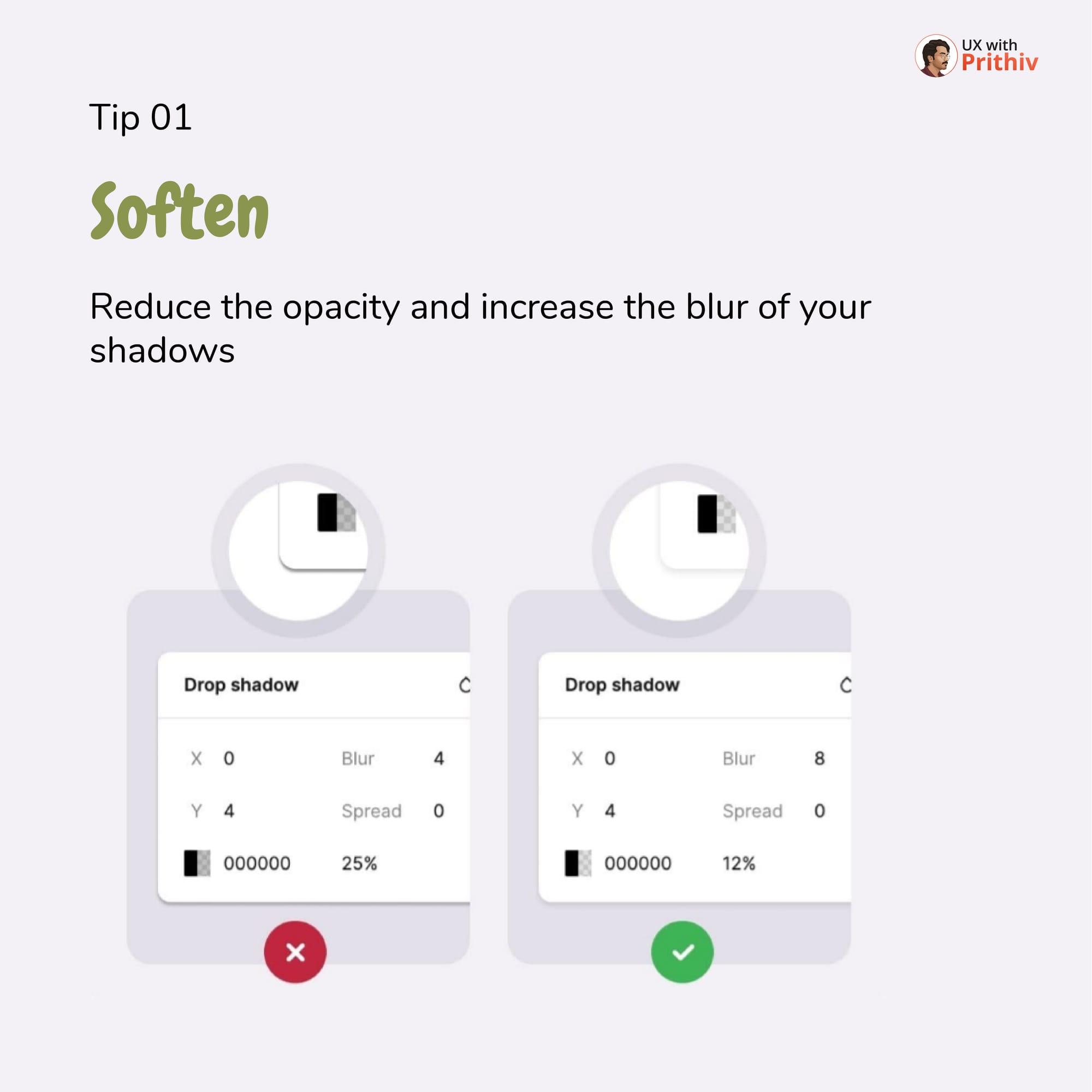
Real-world shadows are rarely pure black. They reflect the ambient light and environment color, often taking on a cool or warm subtle hue.
- Change the Color: Instead of using pure black (
#000000) for your shadow, change it to a subtle blue-grey or brown-grey color, like#5C6880. - Why it works: This subtle shift grounds the shadow in the UI's color palette, making the depth feel intentional and less harsh.
Rule 3: Mimic the Real World with Two Layers
The key to a stunning shadow effect is to combine two distinct shadow layers: one for the directional (key) light and one for the ambient (scattered) light.
| Shadow Type | Purpose | Settings (Example) |
| Directional (Layer 1) | Creates a distinct edge, simulating direct light. | Y=12, Blur=20, Opacity=8% |
| Ambient (Layer 2) | Creates soft, diffused light around the object. | Y=0, Blur=6, Opacity=8% |
Both layers should use your custom hue (e.g., #5C6880). This two-part shadow system is what gives your UI elements a believable sense of weight and elevation.
Conclusion
By moving past the default settings and consciously applying the Soften, Inject Hue, and Two-Layer rules, you gain a foundational skill that immediately elevates your UI designs. Go from flat and fake to realistic and stunning!


Comments